
 04 November 2026
 Share
1
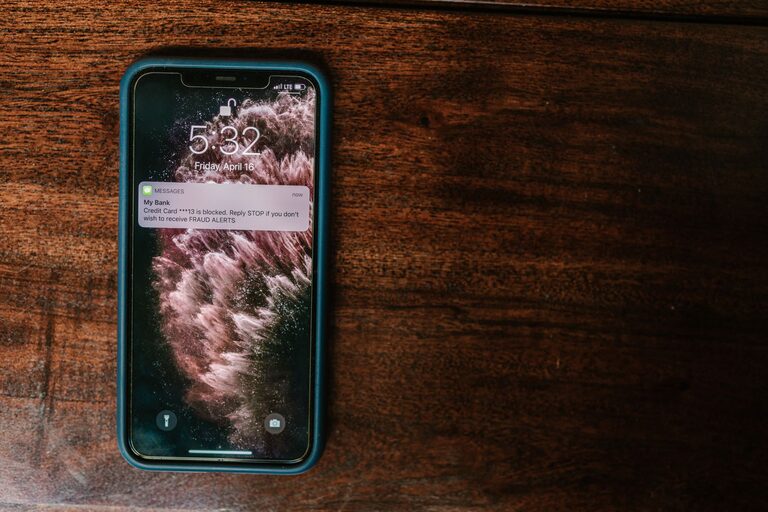
Notifications are designed to get your attention. A sound, vibration, banner, or badge can interrupt a task and encourage you to check your device. While notifications can be useful, too many can make it harder to focus, relax, or stay present.
Setting boundaries with notifications does not mean ignoring important messages. It means deciding when and how you want to be interrupted. With a few practical changes, you can create a notification system that supports your day instead of controlling it.
Before changing your settings, pay attention to your current habits. Notice which alerts make you check your device immediately and which ones you usually ignore.
For a day or two, consider:
– Which apps send the most notifications?
– Which alerts are genuinely useful?
– Which notifications interrupt work, meals, rest, or conversations?
– Do you check your phone because of an alert or out of habit?
– Are you receiving repeated updates from the same app?
This quick review can help you identify the biggest sources of distraction. You may discover that a small number of apps are responsible for most interruptions.
Not every notification has the same value. A direct message from a family member may be more important than a promotion, game update, or social media activity alert.
Create simple categories for your notifications:
These may include calls, direct messages, calendar reminders, or alerts related to plans you need to manage. Keep these notifications visible if they help you respond on time.
News summaries, delivery updates, task reminders, and group conversations may be helpful, but they do not always require an immediate response. Consider allowing these notifications without sound or reviewing them at set times.
Marketing messages, reactions, recommendations, and frequent activity updates can often be turned off. You can still open the app when you choose to check it.
This approach lets you protect your attention without turning off everything at once.
Most devices allow you to control notifications for each app. Open your notification settings and review the list carefully. Turn off alerts that do not provide clear value.
Depending on your device, you may be able to adjust:
– Sounds
– Vibrations
– Lock screen previews
– Pop-up banners
– Badge counts
– Notification categories
– Alerts during specific hours
You do not need to make every setting the same. For example, you might allow a calendar reminder to appear on your lock screen while hiding previews from messaging apps.
If an app offers several notification types, keep only the categories you need. A shopping app may be useful for order updates but unnecessary for sales announcements.
One of the most effective boundaries is checking messages on a schedule instead of responding to every alert immediately. Choose times that fit your responsibilities and routine.
For example, you might review messages:
– At the start of the day
– Around lunch
– In the late afternoon
– Before ending work or school
– Once in the evening
Your schedule does not need to be strict. The goal is to create predictable times for checking rather than reacting throughout the day.
If you work with others, let them know when you are generally available. A simple status message can explain that you check messages at certain times and may respond later.
Set aside blocks of time when notifications will not interrupt you. These periods can support focused work, reading, exercise, meals, hobbies, or sleep.
Start with one short block, such as 30 minutes. Once that feels comfortable, extend it to an hour or more. You can use your device’s focus, do not disturb, or quiet mode to silence alerts automatically.
Helpful notification-free periods may include:
– The first 30 minutes after waking up
– Meetings or study sessions
– Meals with friends or family
– The hour before bedtime
– Weekend activities or outdoor time
A notification-free period works best when it has a clear purpose. Instead of simply trying not to check your device, decide what you want to give your full attention.
Notifications can make it harder to wind down, especially when your device is kept close to your bed. Consider creating a consistent evening boundary.
You could:
– Turn on do not disturb at a set time
– Charge your phone away from your bed
– Use an alarm clock if you do not need your phone overnight
– Allow calls from selected contacts during quiet hours
– Hide message previews on the lock screen
– Avoid checking notifications as the last activity before sleep
If you need to remain reachable, use exceptions for specific people or types of calls. This provides a balance between rest and accessibility.
When work and personal communication use the same device, it can be difficult to switch off. Creating separate boundaries can make transitions easier.
If possible, use different notification settings for work hours and personal time. You might allow work alerts during the day, then silence them after your scheduled hours. If you use multiple devices, keep work notifications on one device and personal alerts on another.
You can also set a simple end-of-day routine:
This routine helps signal that the workday is finished.
You do not have to choose between all alerts and no alerts. Small changes can reduce their impact.
Try turning off sounds while keeping visual alerts. Remove red badge counts if they make you feel pressured to clear every item. Hide previews so you can decide whether to open a message without seeing its contents immediately.
You may also want to place distracting apps in a folder or move them away from your home screen. Adding a small amount of friction can help you make a deliberate choice instead of opening an app automatically.
People may expect quick replies when they see you online or notice that you usually respond quickly. You can set expectations with a brief, friendly explanation.
For example:
– “I check messages a few times during the day.”
– “I keep notifications off while I am working.”
– “I may not respond in the evening, but I will get back to you tomorrow.”
– “For something urgent, please call.”
Clear communication can reduce pressure and help others understand that a delayed reply is not necessarily a problem.
Your notification needs may change over time. New apps, projects, group chats, and routines can gradually add more interruptions. Review your settings once a month or whenever your schedule changes.
Ask yourself:
– Am I missing anything important?
– Which alerts still feel unnecessary?
– Are my quiet hours working?
– Do I need to change who can contact me during focus time?
– Is my device helping me use my time intentionally?
The best notification system is one that fits your life. Start with a few small changes, observe how they affect your attention, and adjust as needed. Boundaries do not have to be complicated. They simply give you more control over when your devices get your attention.